Monthly Archives: March 2013

Google Plus Search Guide: How to Search & Find People on G+


Do you want to know how to search for people on Google+ by title/skill, company, AND location?

If so, you’ve come to the right place – I’m going to show you 3 different ways to find people on Google+, and only one of them allows you to reliably search for and find people based on where they live:

  1. Google+’s built-in search functionality
  2. FindPeopleonPlus
  3. Using Google to X-Ray search Google+ (the most effective way!)

Back in 2011 I wrote a post about how to search Google+ to find people in specific locations. At the time, Google+ wasn’t a ghost town, but it wasn’t exactly well populated.

Nearly 2 years later, that’s no longer the case – Google+ now has over 500M profiles, 235M+ of them actively using Google+ features, and 135M+ people are active in the Google+ stream, solidly positioning Google+ in the upper tier of the “Big 4” social recruiting sites (Facebook, LinkedIn, Google+, Twitter).

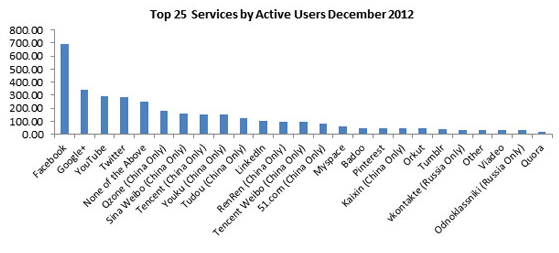
In fact, Google+ is now actually the #2 most actively used service online:


Google+ Native Search Functionality

While the massive change in users and activity has been great, one thing that unfortunately hasn’t changed is that Google+ still doesn’t have any built-in functionality to reliably search for people by specific location, which is critical to any sourcing and recruiting effort.

While Google+ has recently released a new “Find People” functionality, it doesn’t allow you to find people by where they are located.

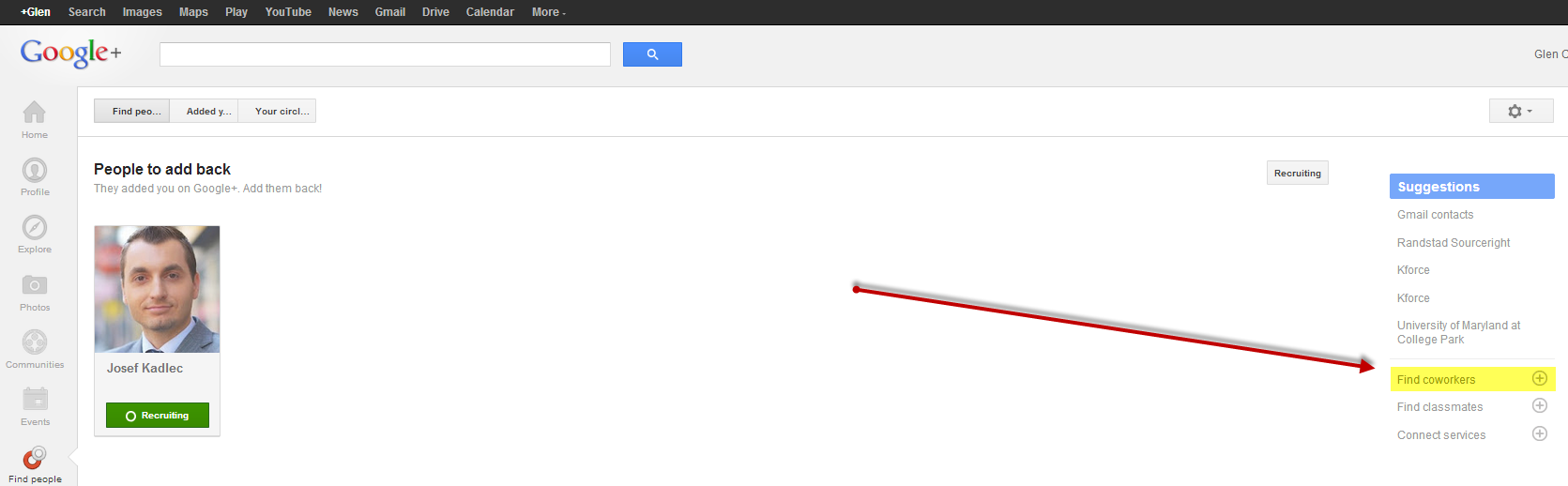
What you can do, however, is search for people who work at specific companies using the “Find coworkers” search functionality and entering in any company.

Searching Google+ via Find Coworkers
 

Google+ Find Coworkers


For example, searching for “coworkers” at Rio Tinto (world leader in mining and processing):
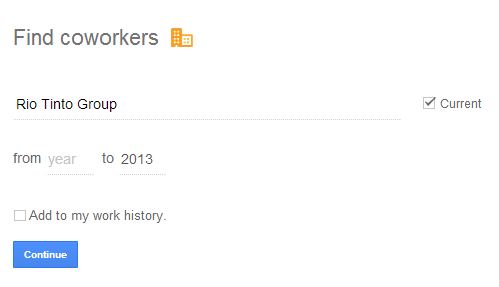


Here are some of the results – all currently employed at the target company:
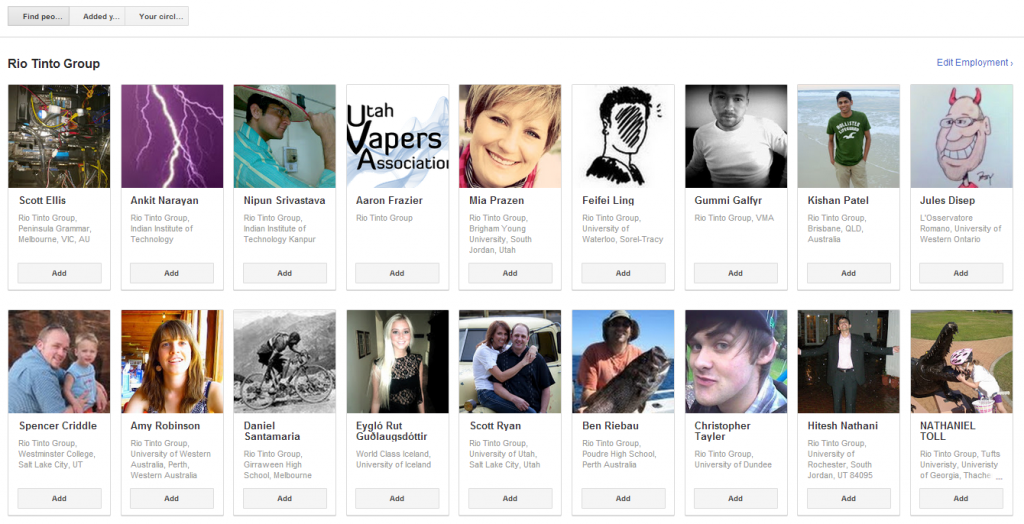


What you can’t do with this search functionality is search by people who work at specific companies in specific locations. which is critical to most sourcing and recruiting efforts.

However, if you’re new to Google+, you should be impressed by your ability to find anyone.

In this respect, Google+ is similar to Facebook’s Graph Search and unlike LinkedIn, as you don’t have to be connected to people or have them in Circles to find them and view their profiles, which is fantastic for sourcers and recruiters.

Searching Google+ via the Google+ Search Bar

Moving on to Google+’s search bar, you can try to find people in a specific location by simply typing in a city along with the rest of your query. For example, take a look at the results for a simple search such as “software engineer” “new york” “google”
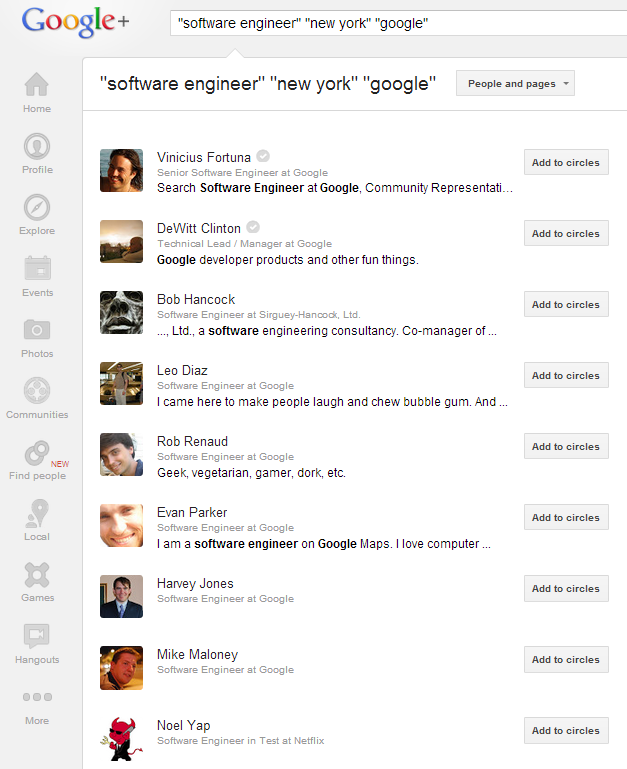


Pretty decent results, right?

Don’t be fooled by appearances.

You can see from just that screenshot that not all of those people work at Google (although many do), and if you explore the results individually, you’ll find that they all mention “New York” somewhere (as they should, based on my search criteria) – but they don’t all live in New York.

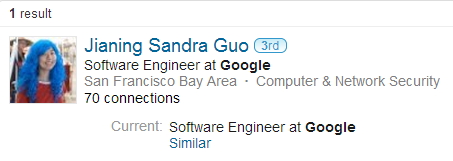
For example, taking a closer look at one of the results:
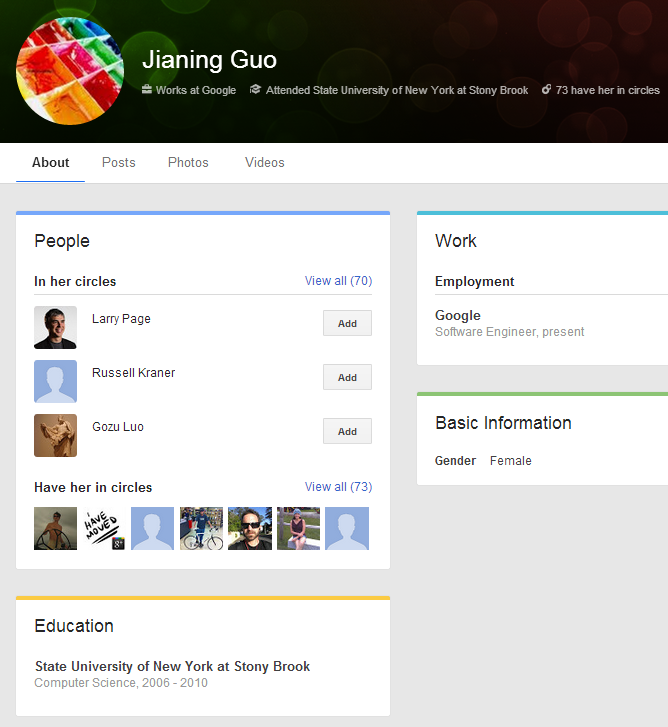


You can see she attended school in New York, but her location isn’t revealed on her Google+ profile as it is for others.

Cross referencing her on LinkedIn shows she lives in California.


I’m not slamming Google+’s search bar – it does a decent job, but it doesn’t offer sourcers and recruiters the search precision they need.

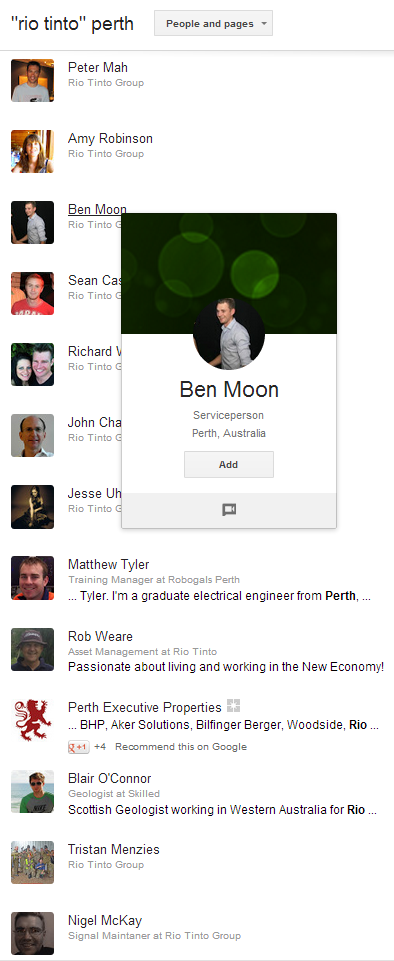
Just to show you that Google+ isn’t only useful for sourcing and recruiting software engineers in the U.S., for my readers in Oz, here’s a simple search for people at Rio Tinto in Perth:


FindPeopleonPlus

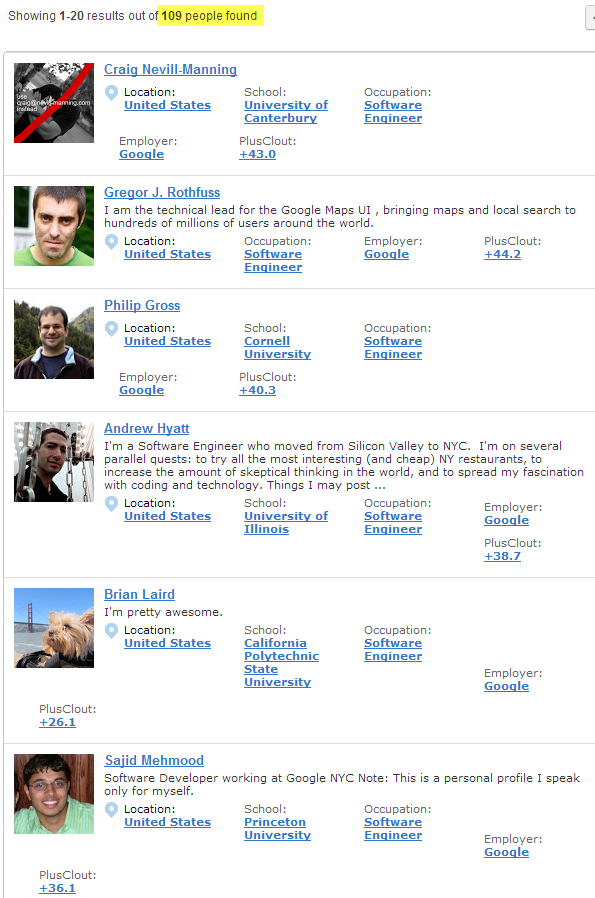
Some of you may be aware of FindPeopleonPlus, which you can use to find people by employer, occupation, and location.

For example, here is a search for software engineers who work at Google and live in New York:


Looks great, right?

Unfortunately, according to their own website, FindPeopleonPlus has only indexed 45M users, which is now obviously a small portion of the total population of Google+ users.

The above search found 109 people, which isn’t too shabby. However, I’ll show you how to use Google to X-Ray search Google+ to find more people in a moment.

FindPeopleonPlus does have some great functionality – you can search for/sort people by gender (diversity sourcing!), education (specific university), employer, occupation, state, and city.

Interestingly, it appears they are busy building a “Career Platform” – I’m assuming this won’t be free because what they’ve already built can easily be used by recruiters to find candidates.


Hopefully they will speed up their performance – I noticed my searches lagged significantly. But maybe I’m just spoiled.

Oh, and I just had to share these two nuggets of gold I found when exploring FindPeopleonPlus for this post:
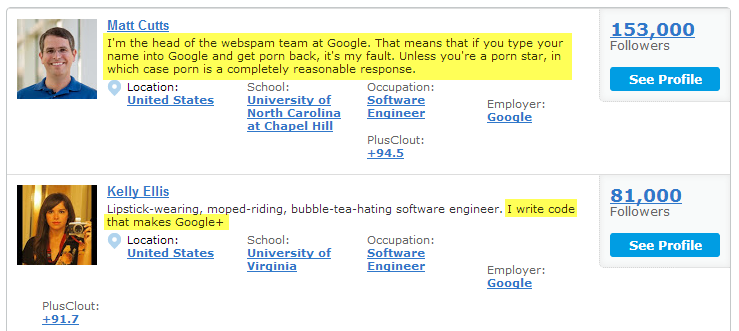


Matt’s got a sense of humor. Maybe Kelly can add the ability to search Google+ for people by employer, occupation and location like FindPeopleonPlus can.

Am I the only one that is confused and disappointed by the fact that the Google team hasn’t thought to offer a greater degree of search capability? Even Facebook’s Graph Search offers the ability to search by location, current and past employer, current title, etc.

I thought Google = search?

How to Find People on Google+ by Location: X-Ray Search

To this day, using Google to search Google+ remains the best way to reliably find people on Google+ by location.

Over time, Google+ has made multiple changes to Google+ profiles, so while my original (circa 2011!) Google+ X-Ray search still works, there are a few small adjustments I’ve made based on profile changes that allow even greater control over search results (thanks Google+ team!).

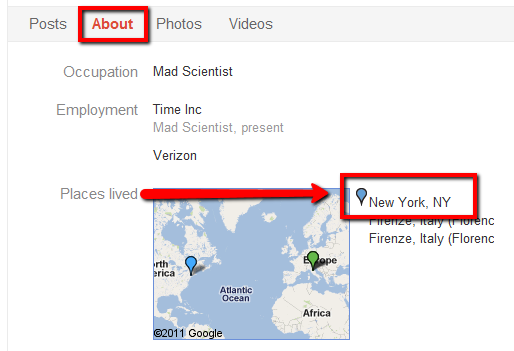
Back in 2011, when it came to listing locations on Google+ profiles, they were displayed in the “Places Lived” section.

“Places Lived” doesn’t exist anymore – it’s now just “Places,” and the word “lived” is no longer there to search for exactly as I did in the past.

However, location information from Google+ profiles is now often also displayed in the summary info at the top of a person’s profile, and it can be listed as “Lived in ________” or “Lives in _________” – you can search for either or both.

X-Ray Searching Google+ for “Lived in”

Here is an example of a Google X-Ray search of Google+ to find software engineers who work at Google in New York, using “lived in _______:”

site:plus.google.com “lived * new york” “software engineer” “works * google”
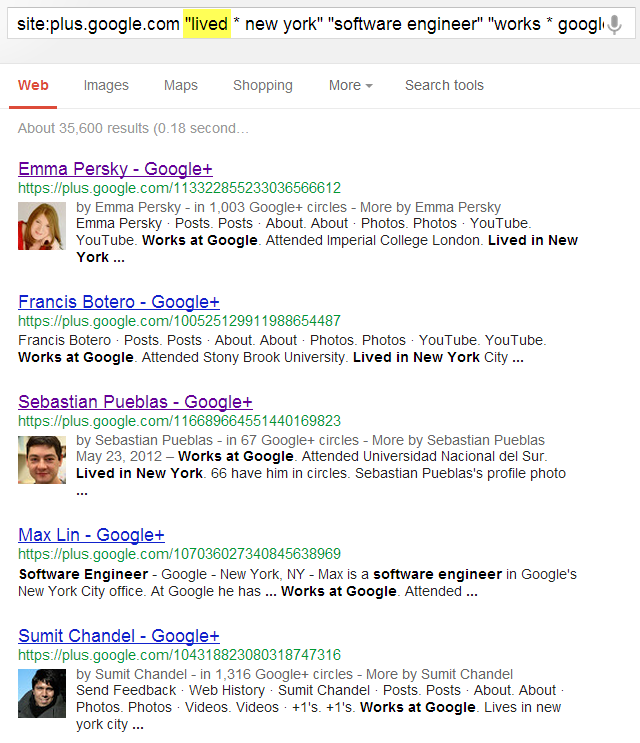


Here’s where it’s picking up the “Lived in,” which pulls from their list of locations on their profile.



Don’t be confused by or concerned with the past-tense “lived in.” For these folks, the first location listed is typically where they currently live…
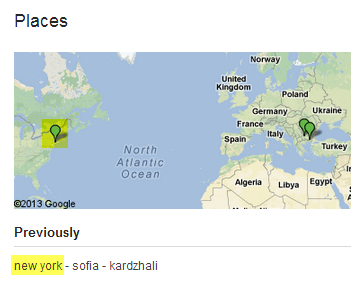
 

…they just haven’t checked the “Current” box by the location when they edited their profile:



When checking some of the Google+ results to see if the the people did in fact live in the location I specified, I cross referenced them on LinkedIn.

Interestingly, when I cross referenced one of the results from my New York search on LinkedIn, their LinkedIn profile stated that they currently lived in Bulgaria instead of New York, which was initially disappointing, at least until I performed a Facebook Graph Search for her, where I was able to confirm she does in fact live in New York.
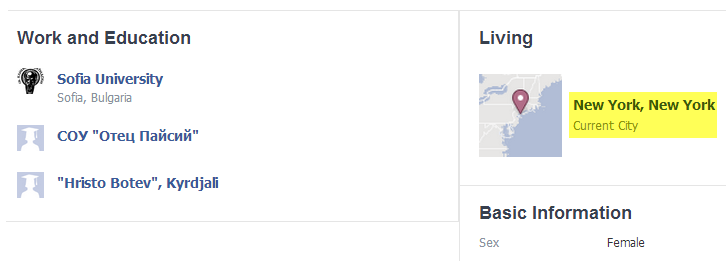
 

Google+ cross reference location on Facebook Graph Search


Hopefully I am not the only who finds this interesting, although not all that surprising when you think about it – Facebook can be more accurate than LinkedIn.

X-Ray Searching Google+ for “Lives in”

Here is the exact same search as above, which is a Google X-Ray search of Google+ to find software engineers who work at Google in New York – except in this case, I am using “lives in _______:”

site:plus.google.com “lives * new york” “software engineer” “works * google”
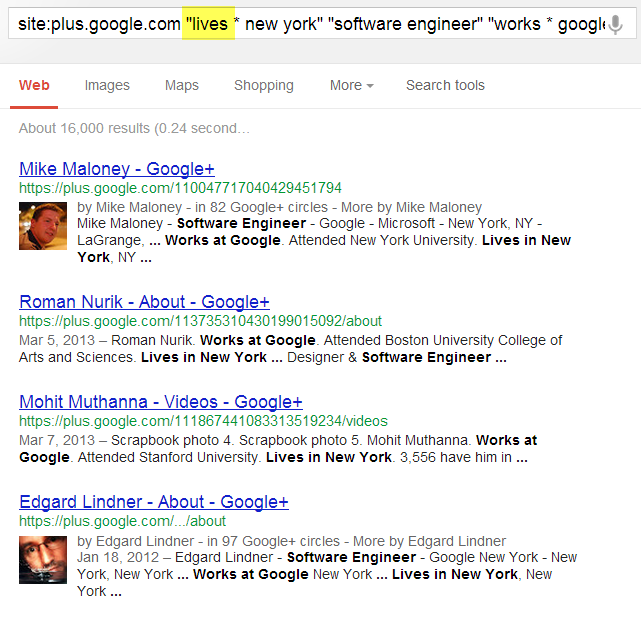


You’ll notice some dupes in the results for hits on the same person from multiple places on their profile, such as the “About” and “Videos” sections.

If you wanted to clean those up, you could run something like this:

site:plus.google.com “lives * new york” “software engineer” “works * google” -inurl:(about|photos|videos) – you’ll get 118 clean results from the original 135.

One thing you can do using Google to X-Ray search Google+ for profiles that you can’t do on FindPeopleonPlus is Boolean search with no limitations.

For the Boolean bashers (I know you’re out there!), basic Boolean logic allows the ability to search for multiple titles, skills, and or companies in a single search string. Although FindPeopleonPlus does support basic Boolean logic for keywords, they don’t allow the use of Boolean logic to simultaneously search for any of a number of employers or occupations/titles.

With a search interface similar to FindPeopleonPlus’s, you’re limited to one company, title, etc. at a time per search. Yes – it still “works,” but it feels like wearing mittens vs. fingerless gloves when you know how to get exactly what you want and you can’t get exactly what you want in a single search like you can with Google.

For example, we can search for any of 3 titles at once using Google to X-Ray search Google+:

site:plus.google.com “lives * new york” (programmer | developer | “software engineer”) “works * google” -inurl:(posts|about|photos|videos|plusones)

That Google search returns 137 results in New York.

With FindPeopleonPlus, you get 3 results in the entire world.

Going one step further with Google+ site: search, you can search for both “lived in” and “lives in” in the same string to get 152 results:

site:plus.google.com (“lives * new york” | “lived * new york”) (programmer | developer | “software engineer”) “works * google” -inurl:(posts|about|photos|videos|plusones)

Of course, you don’t have to target companies in your search strings.

In fact, you can also search for people that don’t even mention their employer in the “work” section (although they do mention it somewhere else):

site:plus.google.com (“lives * new york” | “lived * new york”) (programmer | developer | “software engineer”) -“works * “ -inurl:(posts|about|photos|videos|plusones)

Like this person:


Google+ search result profile with no current employer. Kind of. :)


There are many other interesting things you can do with Google+ X-Ray searches – I just wanted to provide you with a few “starter” searches to get you going.

Google+ Got Your Attention Now?

There’s no doubt that LinkedIn is “where it’s at” with regard to deep and highly searchable human capital data, and I don’t think LinkedIn is becoming “saturated” as many people seem to be suggesting recently – most sourcers/recruiters only find and review 20-30% of what’s available to be found on LinkedIn, leaving at least 50M (if not 100M+!) profiles unfound/unviewed. No, I am not exaggerating for effect.

Even with sourcers and recruiters only scratching the surface of LinkedIn, Google+ cannot be ignored.

Google+ now has more profiles than LinkedIn and is the most active social network in the world second only to Facebook. Yes, I know – Google+ haters/doubters like to argue about what “active” really means…who cares?!?! Most Google+ naysayers haven’t spent 5 minutes on Google+.

Get on Google+ and do some searches and I think you’ll be impressed with what you can quickly and easily find. Explore Google+ a little bit (actually USE it for a few weeks) and I think you’ll be surprised by the functionality and the many benefits and advantages if can afford sourcers and recruiters.

Check out the kind of information you’re missing if you’re not searching Google+:
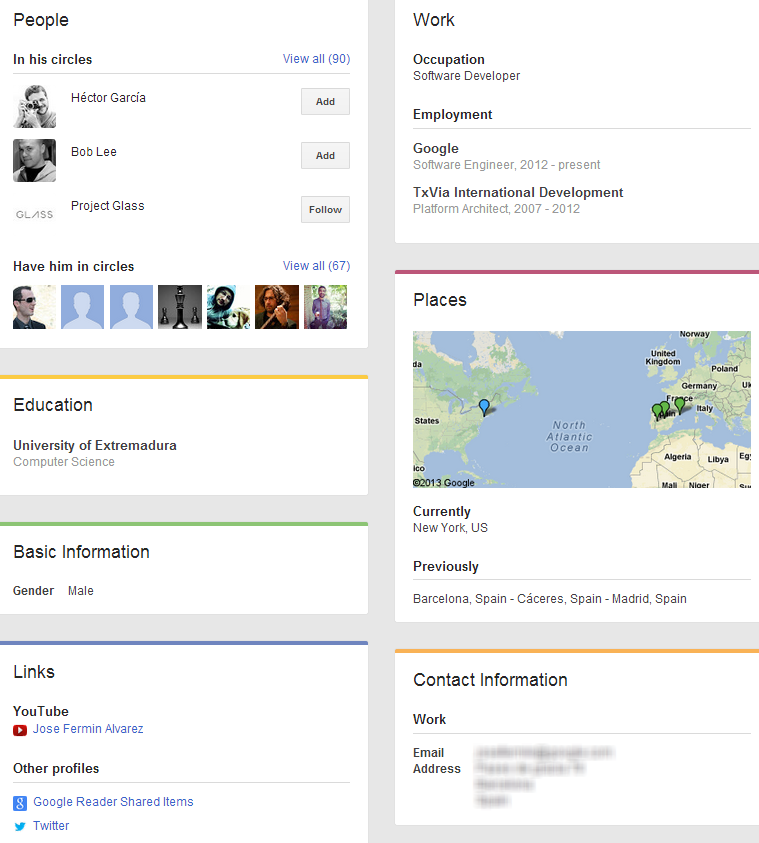


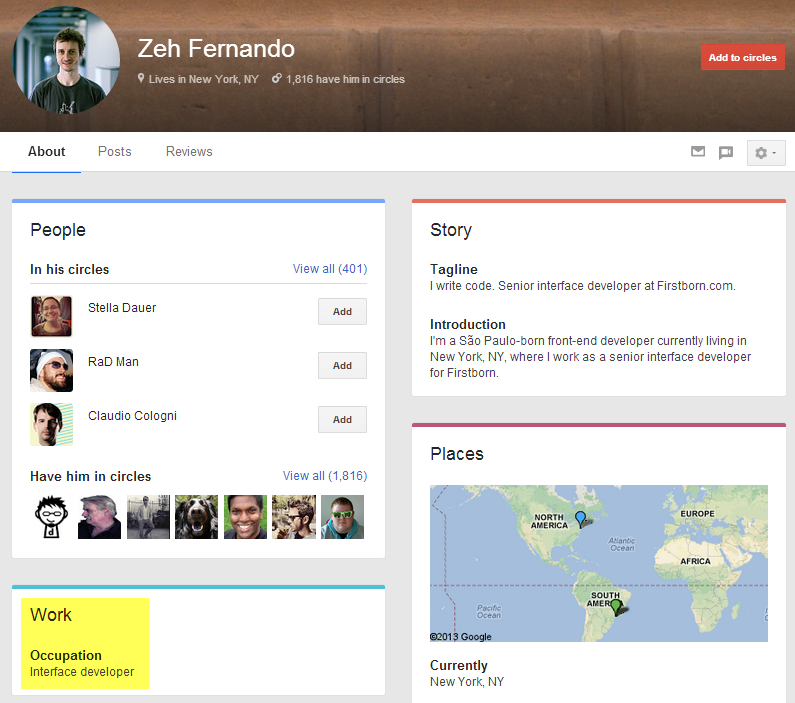
Yes, that’s an email address I blurred out. It’s there for anyone to find – it’s not listed because I know them or have them in a Circle – because I don’t.

Unlike LinkedIn, I’ve found that software engineers and other non-recruiting professionals do include email addresses and sometimes even phone numbers on their profiles that anyone can see – like the phone number of this UX Engineer at Microsoft:
 

Google+ mobile phone number


Of course, there are many advantages of using Google+ in your sourcing and recruiting efforts that are beyond the scope of this post.

As for me – I don’t care if you never use Google+ for sourcing and recruiting. It just means I have less competition.

:)
 

LinkedIn Catfish: Fake Profiles, Real People or Fake Photos?


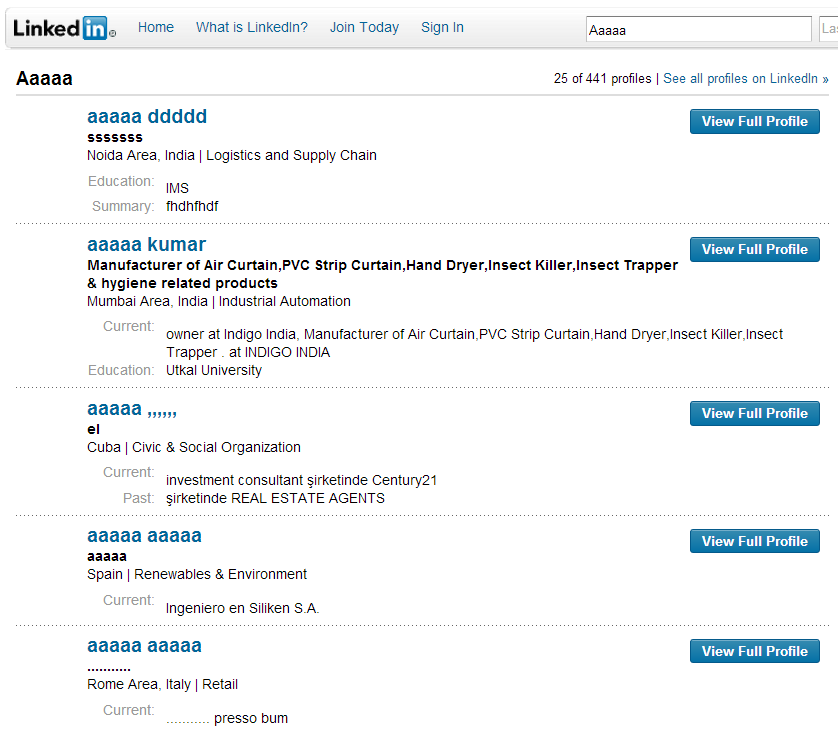
There have been numerous articles written about fake LinkedIn profiles, and some are really easy to spot because their names aren’t even names.


Then there are LinkedIn profiles with names that appear real but the profiles are obviously fake.


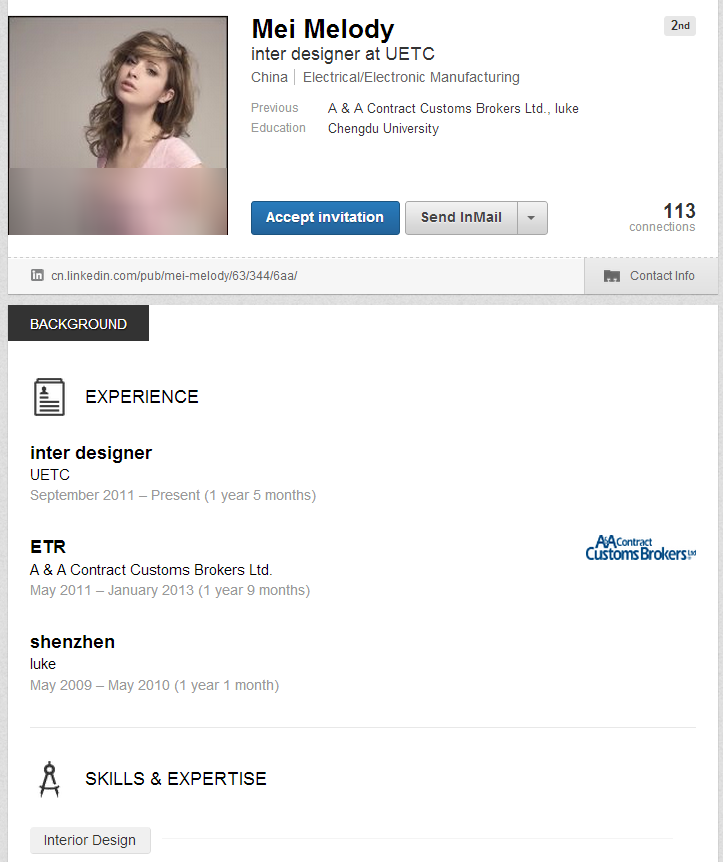
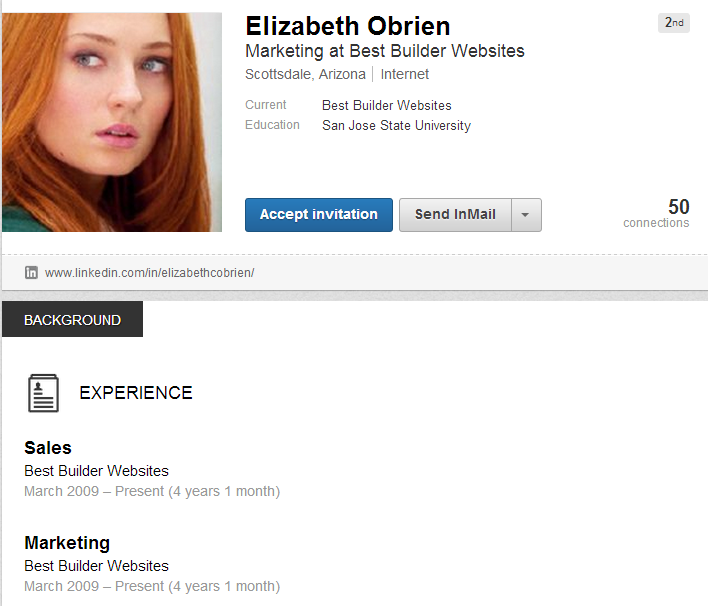
This person profile actually has some endorsements. I’m pretty sure this is a picture is of Sophie Turner, who plays Sansa Stark in Game of Thrones (I’m really looking forward to season 3!)


Next we have LinkedIn profiles that look like real people, at least when it comes to the profile details, but the profiles are likely created by recruiters and perhaps even hiring managers (yes – this happens…stay tuned for a future post on this subject), and the photo is obviously not the photo of the person who created the profile.

And finally, there are LinkedIn profiles that are likely to be real people – where the details of the profile accurately reflect the person behind the profile – but the profile picture isn’t real.

I refer to these profiles as LinkedIn Catfish.

Catfish on LinkedIn

Have you seen the film Catfish or the MTV series based on the film?

The movie is a documentary about the evolution of Nev Schulman’s online relationship with a girl on Facebook who ultimately ends up not being who she was pretending to be online. The television show follows the same format, finding people who are in online relationships with people they’ve never met, performing research on the people, and arranging an in-person meeting to determine if the people are really who they are portraying themselves to be on Facebook.

One of the techniques that Nev Schulman consistently uses on the television show to determine whether or not the people are lying about who they are is Google Image Search in conjunction with Facebook photos.

I’ve posted a few “real or fake” challenges on Twitter from time to time, and while some LinkedIn profiles are obviously fake, others can be quite difficult to determine. I believe some LinkedIn profiles are really examples of “Catfish,” where the people are real but they are using other people’s photos.

How do I know?

From time to time I use Google Images to check LinkedIn profile photos of the people that are sending me invitations to connect as well as some of the profiles that LinkedIn claims are “people I may know.”

I thought I would share some of my findings with you, starting with some obviously fake LinkedIn profiles and progressing to some that I believe are in fact real people who just happen to be using someone else’s image for their LinkedIn profile image.

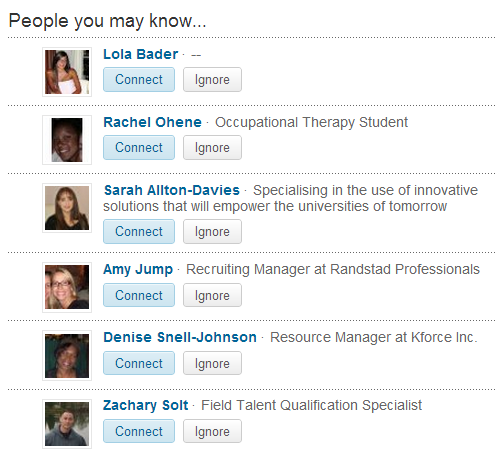
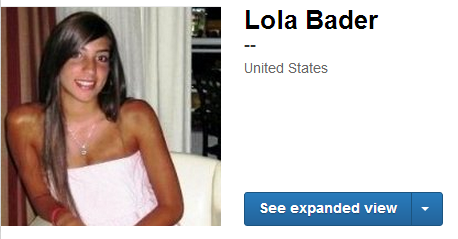
Let’s start with something I found the other day when I glanced down to the “People you may know” section on LinkedIn.


When I clicked on Lola’s profile, I found it devoid of any content, which of course immediately makes it suspect.


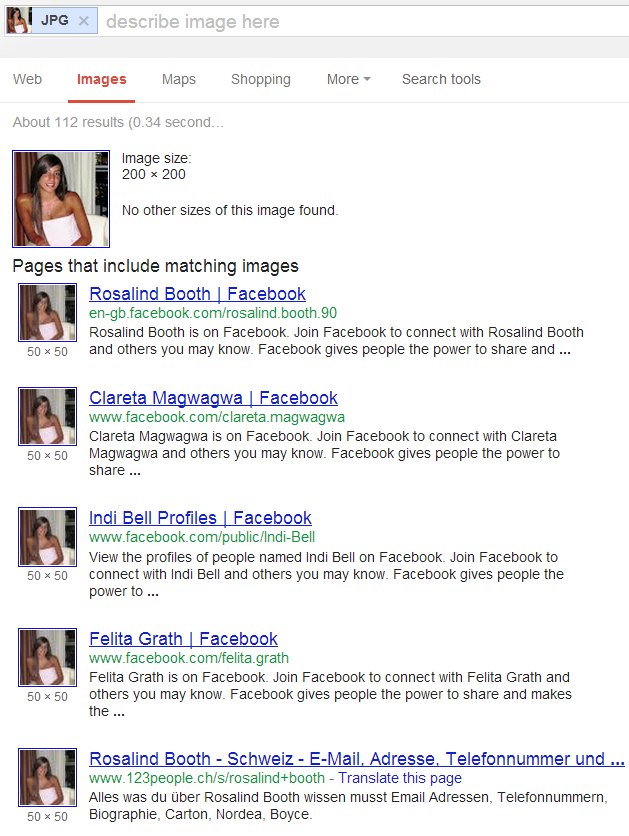
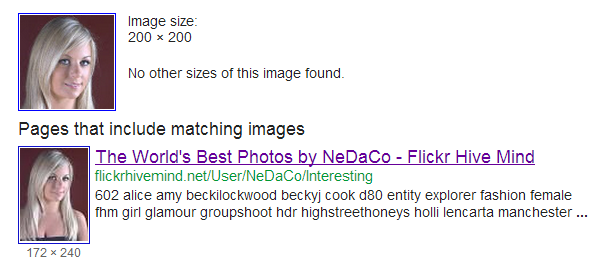
Where it gets interesting is when you perform a Google Image Search for that photo – multiple Facebook hits:


Now let’s take a look at a few LinkedIn profiles of “developers” that I think are really fake profiles created by recruiters.

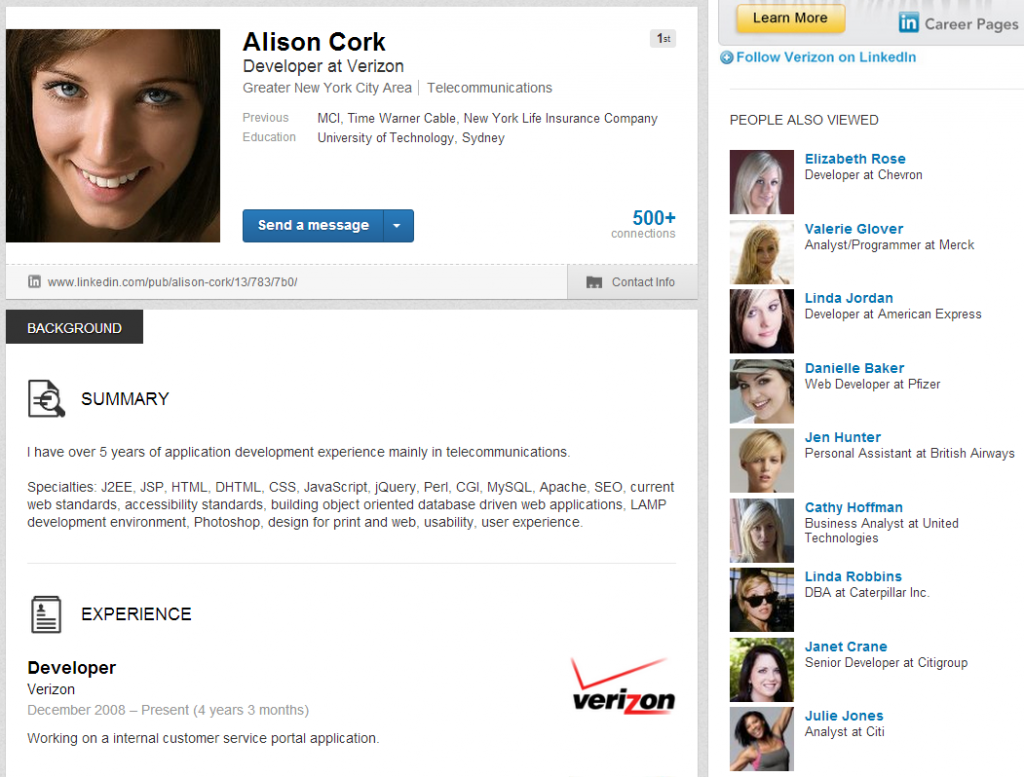
First is “Alison Cork.”


If you try searching for Alison Cork using the first name and last name fields in LinkedIn, this profile doesn’t appear to exist anymore.

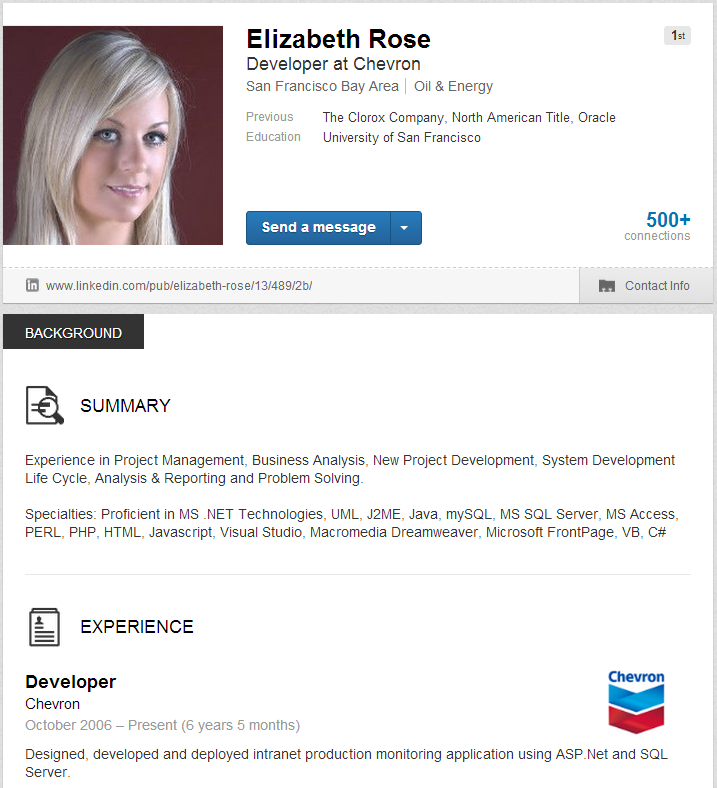
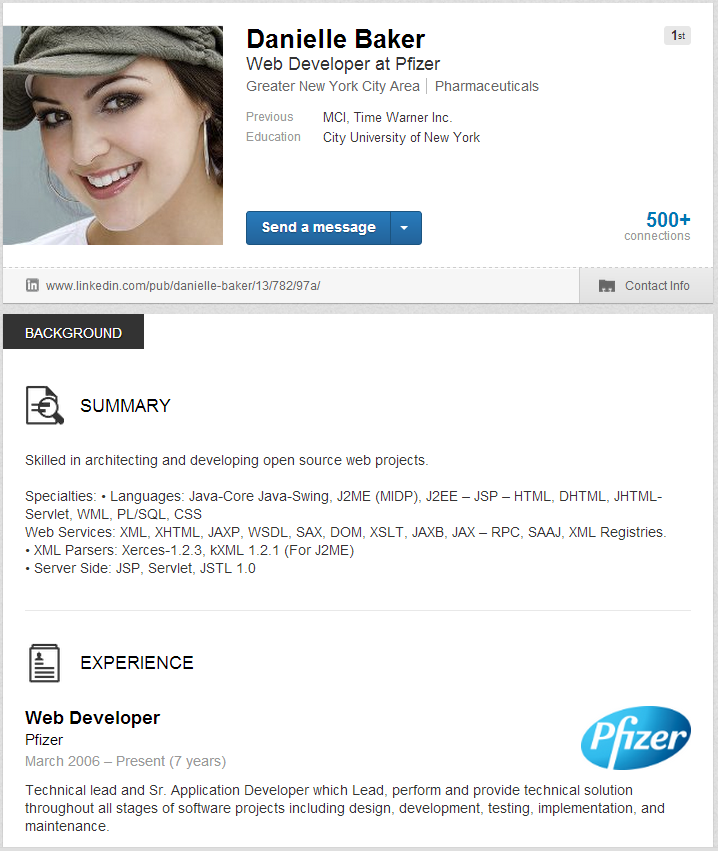
Taking a look at the “People also viewed” list on the right side of “Alison Cork’s” no-longer-existing profile, I spotted Elizabeth Rose, a “developer at Chevron,” and Danielle Baker, a “web developer at Pfizer.”


If you click the link to “Elizabeth’s” profile, you’ll see that at least the details all seem to align (date of graduation, data of first work experience, location of school and current location, etc.) – someone took at least a little effort to make this profile seem like a real developer. However, I believe this profile is really the creation of a recruiter looking to use the profile to connect with other developers.

Checking Google Images for the profile photo shows the possible origin:


“Danielle” below is a similar example.


If you click the link for this profile, it’s similar to “Elizabeth’s” in terms of being relatively well filled out/detailed.

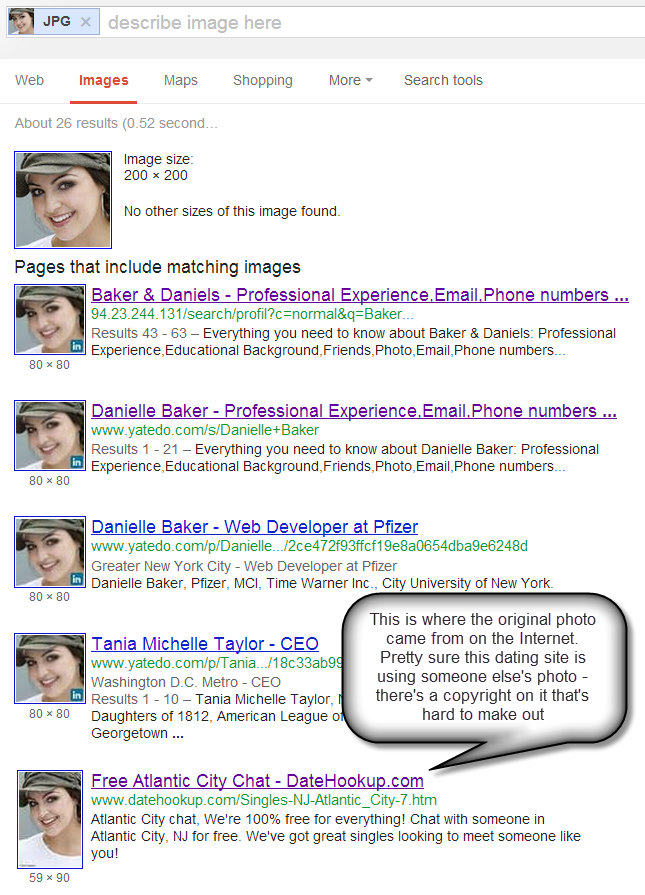
Performing a Google Images search for “Danielle,” this is what you’ll find:


Now I’d like to move on to the category of people who *could” be the people with the experience listed on the profile, but they are using someone else’s picture for their LinkedIn profile photo.

For example – this person came up on LinkedIn as someone I might know.


I blurred the details because this *could* in fact be a real person, and on top of that – they seem to work in sourcing/recruiting. The profile mentions they have worked in recruiting leadership roles at some very prestigious companies, and they have given one (definitely real) person at one of those companies a recommendation (but haven’t received any).  If you’re extremely curious and a tad bit technically savvy, you can probably find this profile – it is public.

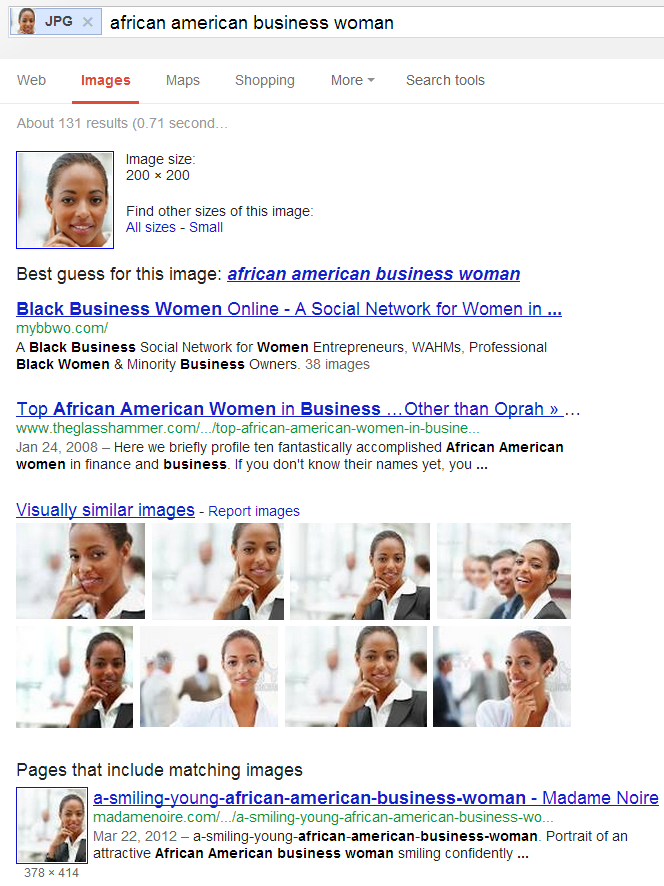
When I performed a Google Image search for the profile picture, here’s what is returned:


So what do you think – is this profile of a real person?

Why the term “Catfish?”

Apparently (at least according to Internet and other lore), the use of the term “catfish” comes from the story about the early days of shipping live cod, where the fish’s inactivity in their tanks during shipment resulted in fish with a mushy texture and bland taste. Someone had the idea to ship the cod with some catfish in the tank, because catfish often conflict with cod in the wild, so during shipment, the catfish would harass the cod and keep them active, resulting in cod with the proper texture and taste, as if they were caught fresh. In the movie, one of the characters theorizes that the person Nev thought he was having a relationship with was like a “catfish” – serving to keep him active, always on his toes, and always thinking.

When you’re on the Internet – even on professional networking sites such as LinkedIn, you always have to be on your toes. Some of the people you’re finding and connecting with may not be who they appear to be, and they might not be real people.

Even so, you may want to connect with some of these folks anyway (as I do in some cases).

Why?

If you fully appreciate and understand the X-degrees of separation concept, there is value in connecting with the “wrong” people because they can actually be conduits to the “right” people. In fact, it could be argued that in many cases, the *only* way to add some of the “right” people you’d like to have in your network  is to connect with the people who are connected with them – even the ones that don’t seem to make sense on the surface.

If you connect directly with a “catfish” profile has been created by a recruiter or hiring manager specifically to connect with software engineers, and they have been successful in connecting to many of them at the 1st degree, then those software engineers would be in your 2nd degree network on LinkedIn. With a free account, you’d be able to see their full names in any people search.

Also, as a 1st degree connection, you have the option to search their connections if they haven’t shut that down (the 2 “developers” above haven’t), and you also have access to their contact details – so if you’re really curious, you could ask them directly about the reality of their profile.

:)


First Look at LinkedIn’s New User Interface


I just stumbled across this YouTube video created by Viveka von Rosen that walks through LinkedIn’s new user interface and functionality.

I don’t have LinkedIn’s new UI, and apparently neither does Viveka – she only caught the new look and feel when she was working with one of her client’s profiles. I thought I would share this video with you because I found some of the changes that Viveka demonstrates quite interesting, and you likely will as well.


If you watch all the way to the end, you will notice that there doesn’t appear to be any way to access LinkedIn Signal from any menu option, which is quite odd in my opinion, given how powerful and useful Signal is. However, I realize that most people don’t use it, so I can understand why LinkedIn might bury it into obscurity, however unfortunate.

For those of you with the new LinkedIn UI, you can still get to Signal here: http://www.linkedin.com/signal/

Thank you for sharing your discovery Viveka!


Is LinkedIn Locking Down Public Profiles or Just Having Problems?


Have you noticed anything different about LinkedIn recently – specifically with regard to viewing 3rd degree profiles, searching for headline phrases, searching by first and last name, and using Google and Bing to X-Ray search for public profiles?

I have, and either I am encountering some serious and hopefully temporary errors, or LinkedIn may finally making serious moves to make it very difficult to find public LinkedIn profiles for free.

Let me show you what I’ve discovered so far, and please share back any additional findings, or simply let me know that I am the only one affected. Continue reading

Diversity Sourcing is a Breeze with Facebook Graph Search


In some respects, Facebook’s Graph Search has literally changed the game when it comes to diversity and inclusion with regard to sourcing.

If you don’t already have access to Graph Search, you may not be aware just how easy it is to leverage diversity criteria such as gender, race and ethnicity.

How easy is it?

I’ll show you how.

Gender Sourcing with Facebook Graph Search

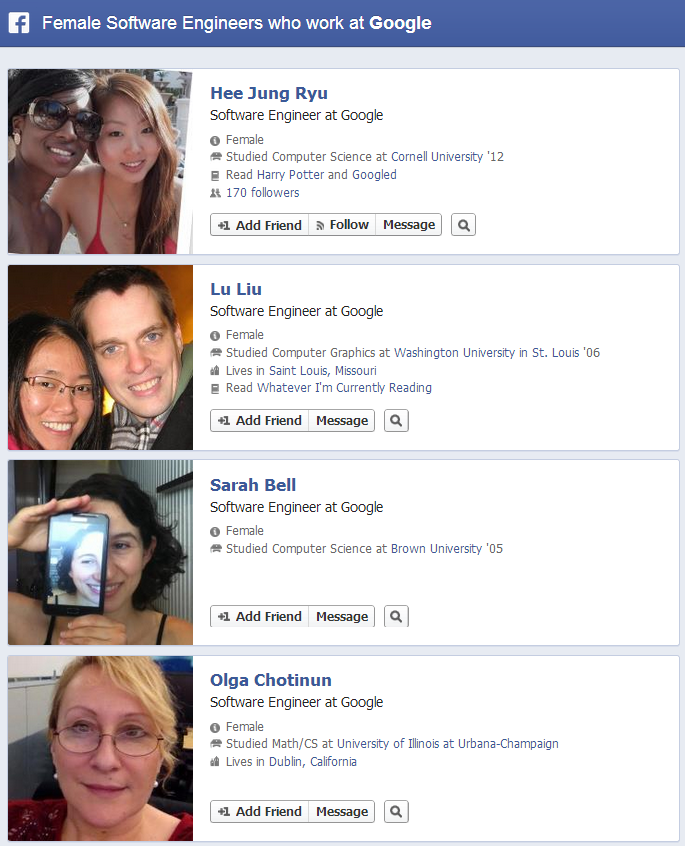
Imagine being asked to find and identify as many female _______________ (accountants, project managers, software engineers, etc.) who currently work at a particular company or any company.

Think about it.

Without Graph Search, how would you go about accomplishing this goal?

It’s no easy task. I know several people who’ve worked at some of the top software companies in the world who have had to do some crazy search gymnastics in the past  in order to even somewhat successfully identify a small portion of female software engineers at target companies in order to diversify their software development talent.

With Graph Search, it’s now simply a matter of asking Facebook for all of the female software engineers or any role you’re targeting at any company.

For example:


As you can see, sourcing for gender diversity is so easy that Facebook’s Graph Search has essentially rendered it a non-issue, at least when it comes to searching for people by title and/or company.

I have to imagine that this has already been done by sourcers and recruiters at Facebook, Microsoft, LinkedIn, etc.

If not – hello!

Not that it wouldn’t, but this approach also works just as well if you were looking for female engineers in Germany, or any position in any country. Continue reading

How to Find, Hire, Train & Build a Sourcing Team: SourceCon 2013


Male_whale_shark_at_Georgia_AquariumI recently presented at the largest-ever SourceCon event held at the mesmerizing Georgia Aquarium where you can network with industry peers while watching whale sharks, manta rays and Beluga whales swim by.

My session focused on building out a sourcing function with an emphasis on building a sourcing team from scratch with people who have no prior experience in sourcing and recruiting.

I recently hired and trained a team of 40+ sourcers so I was able to share my journey and lessons learned, as well as my theory that you can more effectively train people with no prior experience than you can people with a few years or more of sourcing and recruiting.

My theory is supported by my own experience (I’ve never attended or received any sourcing or recruiting training), as well as a couple of books I referenced in my presentation: The Talent Code and Talent is Overrated. It’s quite interesting to realize that most environments are neither conducive to effective learning, nor effective in developing extremely advanced levels of sourcing and recruiting capability.

If you didn’t have the chance to see me speak at SourceCon and you haven’t already viewed this deck on SourceCon’s website, please review my presentation below to learn more about the ideal conditions under which you can create the next generation of sourcing masters.

And yes, you’ll get the chance to see a handful of the Boolean search strings I use to find people with no prior sourcing or recruiting experience (or any specific experience, for that matter!) who have a high probability of developing into world-class sourcers and recruiters.