If you live in the U.S. – have you noticed that Facebook now charges $1.00 for you to send a message to someone that you’re not “connected to” on Facebook?
No?
Go ahead, give it a try.
You might encounter something like this:
If you’re in the U.S. and you don’t get a message like the one above when you try to send a message to someone you’re not connected to on Facebook – please let me know. Continue reading →
While I agree with some of the points that Dr. Sullivan raises, I disagree with others as I believe he has an oversimplified view of sourcing.
I argue that some basic and common sourcing functions and tactics will be coming to an end soon, and in fact, they have already ended in companies that are on the leading edge of sourcing.
However, as with many corporate functions, there will never be an end to sourcing itself – there will only be an evolution.
What follows is my sourcing manifesto.
Read further to explore:
Why sourcing exists in the first place
The underlying flaws of the “everyone is easy to find” argument
The limits of matching technology
Why big data requires people to make sense of it
My definition of sourcing
Strategic vs. tactical sourcing
The true value of sourcing
What can (and should!) be automated in sourcing
Sourcing 1.0 vs. 2.0
You should be advised that this is a lengthy article – if you’re looking for a quick read, you won’t find it here. Continue reading →
Falcon allows you to find people’s “social details” by hovering their names on certain sites. In other words – you can use one social profile to discover many of the other social profiles that the person might also have. For example, from someone’s Twitter handle, you could quickly reveal their Facebook and Github profiles.
While the Falcon.io site mentions that the Chrome plugin/extension leverages Hacker News, Tweetdeck, Twitter, Github and Dribble, there isn’t much documentation to be found on exactly what other sites Falcon leverages.
However, a little exploration and experimentation shows that the Falcon social discovery tool also supports (to a lesser or greater extent):
Google+
Foursquare
Klout,
Facebook
Slideshare
Instagram
StumbleUpon
YouTube
Vimeo
WordPress
It very likely works with other sites I have yet to discover. However, there is one key site that it doesn’t seem to work with – LinkedIn.
In addition to working by hovering your mouse over certain social links, you can also enter and search for specific social profiles. I’ve entered and successfully searched for Facebook, Google+ and Quora profiles.
If you like what Falcon can do for you, then you might also like TalentBin’s free social discovery tool.
If you’re not familiar with TalentBin, their “talent search engine for the entire web” is what I would consider to be one of a few sourcing solutions available on the market today that harnesses the power of big data when it comes to sourcing and recruiting.
In addition to their premium solution, the wonderful folks at TalentBin whipped up a free Chrome extension/plugin that allows you to perform social discovery from any one of a number of sites.
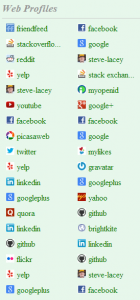
As you can see from the image to the right – TalentBin cross references a HUGE number of sites. It also leverages an incredibly simple and easy 1 click functionality to serve up results – no mousing over links or entering URLs to search for results.
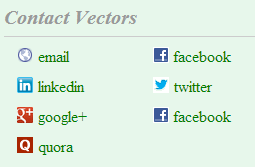
The only catch (and it’s a BIG catch) is that you have to be a premium user to take action on the data, including the “contact vectors” that TalentBin conveniently serves up to you (which is a fantastic feature, btw).
I know some people may be less excited about a freemium tool, but I think TalentBin’s expansive social search and simple execution is impressive. I also think it provides insight into what’s to come with regard to social aggregation empowering research, sourcing and recruiting. Plus, sometimes you do get what you pay for.
Download the extension file from the website and save it to your computer.
Click the wrench icon on the browser toolbar.
Select Tools > Extensions.
Locate the extension file on your computer and drag the file onto the Extensions page.
Click Install.
Final Thoughts
TalentBin’s Chrome extension cross references a surprisingly large number of social sites that it can leverage cross for social discovery. This impressive functionality is no doubt a direct result of the work they’ve been performing on their premium solution. As such, while TalentBin’s browser extension is free, you can’t make much use of it without being a user of their premium product.
On the flip side, while the Falcon social discovery tool isn’t as comprehensive as TalentBin’s, it’s 100% free to use and take action on – thanks Gwendall!
If Gwendall’s open to suggestions, I would recommend adding support for LinkedIn profiles, as well as functionality similar to TalentBin’ simple one-click execution over having to hover over links or search for URL’s.
However, I’m certainly not complaining about Falcon’s functionality – I’ll gladly use Falcon as is!